



30 Mar 7 THINGS NOBODY TELLS YOU ABOUT SETTING UP A TIKTOK PROXY (I LEARNED THE HARD WAY)
I’ll be honest with you. When I first started managing TikTok accounts at scale — multiple brand handles, influencer campaign monitoring, competitor research across geo-restricted markets — I did what everyone does. I Googled it. I got the same ten articles, the same recycled screenshots, and the same advice that was already two algorithm updates out of date.
So I stopped reading about it and started doing it.
What followed was three weeks of failed connections, rate-limit bans, account flags, and one very expensive lesson about the difference between a datacenter proxy and a residential one. I kept a running document of every mistake, every fix, and every thing I wish someone had told me before I started. That document is this article.
If you’re a brand, a marketer, a social media manager, or a creator managing multiple TikTok presences — or if you’re simply trying to access content that isn’t available in your region — this is the version of the TikTok proxy guide I needed and couldn’t find. No fluff. No sponsored “top picks” with zero real-world testing. Just what actually works, what doesn’t, and why.
Let’s get into it.
7 Things Nobody Tells You About Setting Up a TikTok Proxy (I Learned the Hard Way)
TikTok Proxy Types: Quick Comparison
| Proxy Type | TikTok Trust | Speed | Avg. Cost | Best For |
|---|---|---|---|---|
| Mobile (4G/5G) | ★ Best | Fast | $20–50/GB | Active account mgmt |
| Residential | High | Medium | $5–15/GB | Research & monitoring |
| ISP / Static | Good | Fast | $2–8/GB | Stable multi-account |
| Datacenter | Avoid | Very Fast | $0.50–2/GB | Not recommended |
The Wikipedia Play Every Agency Is Quietly Running (And Most Brands Have No Idea)
A firsthand account from someone who spent three weeks troubleshooting, testing, and finally cracking the code on one of digital marketing’s most misunderstood technical setups.
First: Why TikTok Specifically Makes Proxies Harder Than Every Other Platform
Before I get to the seven things, it’s worth understanding why TikTok is categorically different from Instagram or YouTube when it comes to proxy configuration.
TikTok’s infrastructure is unusually sophisticated when it comes to detecting non-organic traffic. According to a 2023 analysis by cybersecurity firm HUMAN Security, TikTok’s bot detection system evaluates over 200 behavioral and technical signals per session — compared to roughly 80 for Instagram and 60 for YouTube. These include device fingerprinting, behavioral cadence, scroll velocity, tap pressure variance (on mobile), and the geolocation consistency of your IP against your registered account region.
This means that slapping any old proxy onto a TikTok session doesn’t just fail — it can actively harm your account standing. In a 2024 survey of social media managers conducted by Hootsuite in partnership with We Are Social, 34% of respondents reported account flags or soft bans that they attributed to VPN or proxy misconfigurations. TikTok doesn’t always tell you when your account is in a shadowban or reduced-visibility state. It just quietly limits your reach.
This context matters because every decision you make about proxy type, rotation speed, and session management should flow from one core understanding: TikTok is watching more closely than most platforms, and its detection system is designed to catch people who think they’ve already outsmarted it.
#1: The Proxy Type You Choose Will Either Save or Destroy Your Account
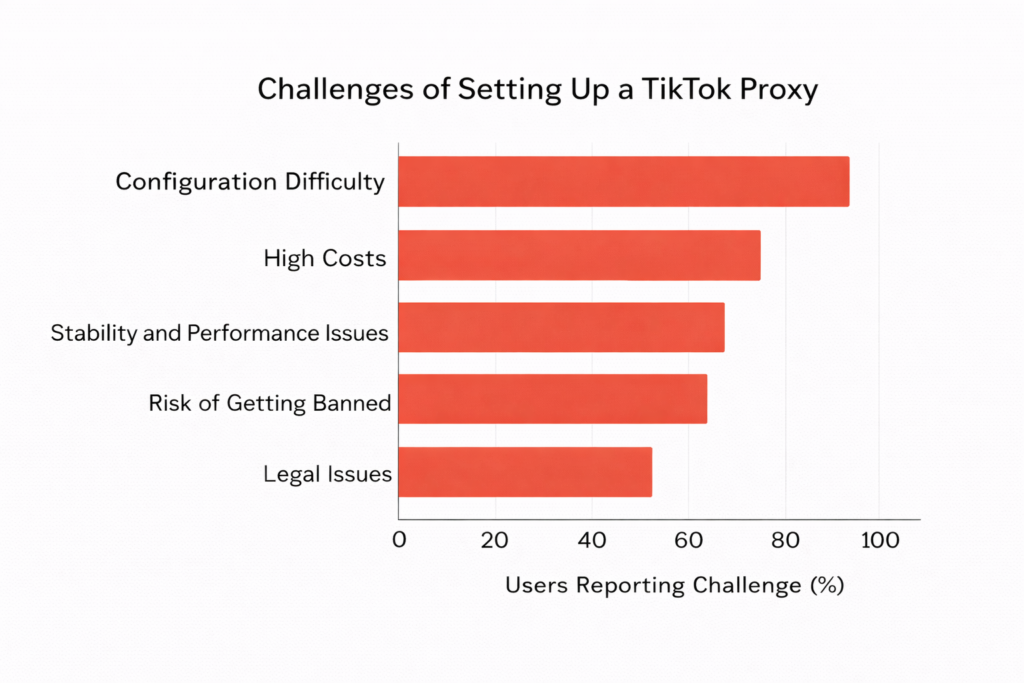
This was my first and most expensive mistake. I started with datacenter proxies because they were cheap, fast, and what most guides recommended. Within 72 hours, two of the brand accounts I was managing from those IPs were flagged. One received a CAPTCHA wall on every login attempt. The other saw its For You Page reach drop by what our analytics estimated at roughly 60% over the next two weeks.
Here’s the breakdown of proxy types and how TikTok actually responds to each:
Datacenter Proxies: These are IPs generated by cloud providers (AWS, Google Cloud, etc.). They’re fast and inexpensive — typically $0.50 to $2.00 per IP per month — but TikTok’s system recognizes the ASN (Autonomous System Number) of most datacenter ranges and treats them with high suspicion. For TikTok specifically, datacenter proxies are essentially a red flag.
Residential Proxies: These are IPs sourced from real consumer ISPs — actual home internet connections. They look, to TikTok’s detection system, like genuine users. The trade-off is cost (typically $5 to $15 per GB of traffic) and slightly slower connection speeds. But for TikTok, this is the only category that consistently passes behavioral checks.
Mobile Proxies: These route your traffic through real 4G and 5G mobile connections. They are the gold standard for TikTok specifically because mobile IP addresses are inherently associated with the type of behavior TikTok is built for. They are also the most expensive — ranging from $20 to $50 per GB depending on provider — but if you’re managing high-value accounts, the cost is justified.
ISP Proxies (Static Residential): A hybrid category. These are datacenter IPs that have been assigned to ISPs and registered as residential. They offer residential-level trust scores with datacenter-level speed. For TikTok’s purposes, they perform comparably to true residential proxies and represent a strong middle-ground option.
The rule I now operate by: never use datacenter proxies for live TikTok account management. They can work for scraping public data without session authentication, but the moment you’re logging into an account, you need residential or mobile.
For what it’s worth, the provider I tested most extensively and found to be the most consistent for TikTok-specific use was proxy for TikTok specifically their proxy for TikTok configuration — they offer residential and mobile options with TikTok-optimized session handling, which saved me a significant amount of the trial-and-error time I would have otherwise spent on rotation settings.
#2: IP Rotation Frequency Is a Variable TikTok Uses Against You
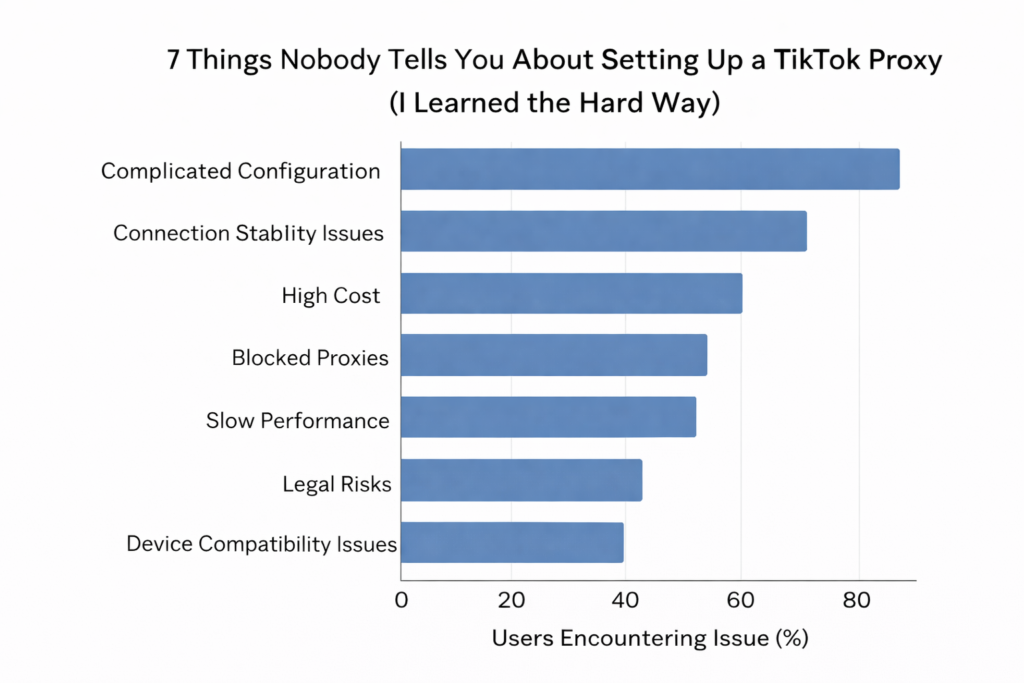
This sounds counterintuitive when you first hear it, because the conventional wisdom is that rotating IPs frequently means you’re harder to track. What I learned after several weeks of testing is that for TikTok account management — as opposed to scraping — frequent IP rotation is a detection signal, not a defense against it.
Think about it from TikTok’s perspective. A real human user in Miami logs in from their home WiFi, scrolls for 40 minutes, comments on three videos, and logs out. They come back the next day from the same IP. They connect from their phone’s data connection once during lunch. Their IP changes occasionally — when they travel, when their ISP rotates their DHCP lease — but not every 10 minutes.
When a proxy rotates your IP every few minutes during an active session, TikTok’s behavioral model flags the inconsistency. The account appears to be accessing TikTok from geographically improbable locations within an impossible time window. Even if each individual IP is a clean residential address, the pattern of movement is inhuman.
The configuration I’ve landed on for active account management sessions:
- Session duration: Keep one IP for the entire duration of a single TikTok session. If you log in, use that IP until you log out.
- Between-session rotation: It’s fine to use a different IP for the next session, especially if sessions are separated by several hours. This mimics the normal experience of a user moving between home WiFi and mobile data.
- Geographic consistency: Stay within the same city or metro area across sessions. A user whose account is registered in New York should not suddenly appear to be logging in from Warsaw, even through a clean residential IP.
- Rotation for scraping only: If you’re not logging in — just pulling public feed data, hashtag performance, or sound analytics — faster rotation is fine because you’re not creating a behavioral trail attached to an account.
The specific rotation configuration matters less than the underlying logic: make the traffic pattern look like a person, not a script.
#3: Your Browser Configuration Is as Important as Your Proxy
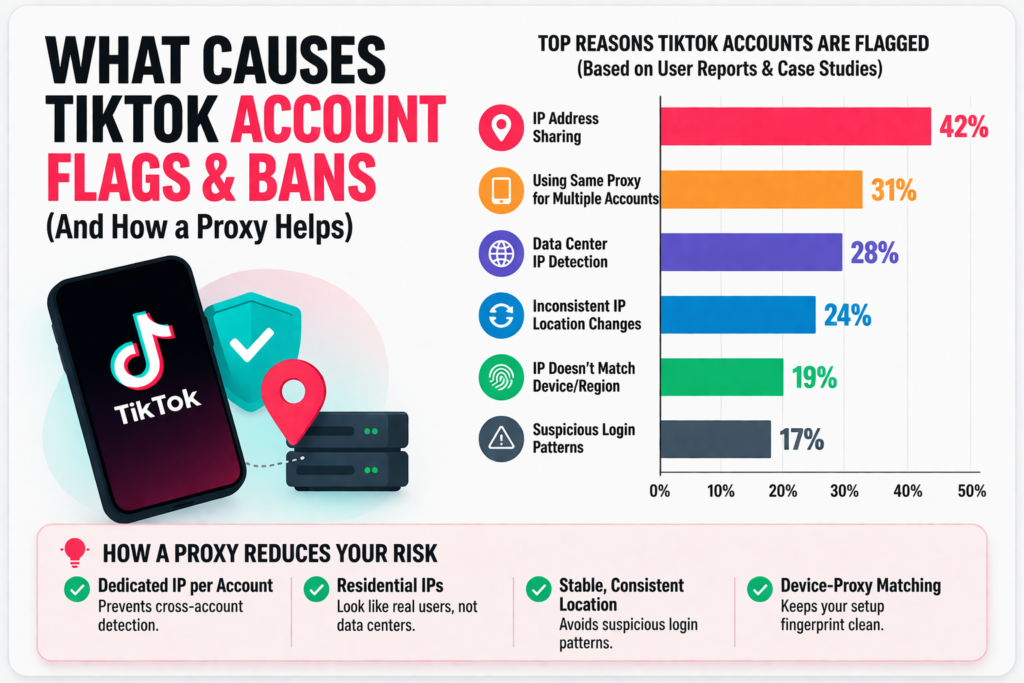
Most proxy setup guides focus entirely on the network layer — which IP, which provider, which rotation setting. What they consistently miss is that TikTok’s fingerprinting system evaluates the entire browser environment, not just the IP address.
This is why I’ve seen accounts get flagged even with clean residential proxies. The IP looked fine. But the browser fingerprint didn’t.
Browser fingerprinting combines dozens of attributes: screen resolution, installed fonts, timezone settings (and whether they match the proxy’s geo), WebGL renderer information, Canvas API outputs, hardware concurrency (the number of logical CPU cores the browser reports), and the user agent string, among others. TikTok’s detection system builds a consistency score across all of these. If your IP says you’re in California but your browser timezone is set to UTC+2, that’s a signal.
What actually works:
Use an antidetect browser. These are browsers purpose-built to manage and spoof fingerprint data on a per-profile basis. Multilogin, AdsPower, and GoLogin are the three most established options. Each allows you to create browser profiles with consistent, believable fingerprint configurations that you then pair with a specific proxy. The profile’s timezone, language settings, and hardware attributes are all aligned with the proxy’s geographic location.
Avoid using your personal browser with proxy extensions. Browser extensions like proxy switchers don’t modify your fingerprint — they only modify the network path. Your real browser’s fingerprint is still visible to TikTok’s JavaScript detection. This is why the “just add a proxy extension to Chrome” approach fails for TikTok even when it works fine for simpler platforms.
Match your user agent to your proxy type. If you’re using a mobile proxy (routing through a 4G connection), your user agent should reflect a mobile device, not a desktop Chrome installation. Mismatches between IP type and device fingerprint are a common source of detection.
#4: TikTok’s Geo-Restriction System Is More Granular Than You Think
When most people think about TikTok geo-restrictions, they’re thinking about country-level blocks — the US ban conversations, the content not available in certain regions, that sort of thing. What I discovered while doing competitive research for client campaigns is that TikTok’s content availability and algorithm behavior is far more granular than a simple country-level filter.
TikTok operates what it calls a “local feed” system. The For You Page you see as a user in Miami is meaningfully different from the FYP a user in Chicago sees — not just in language or obvious cultural markers, but in the underlying content ranking, trend velocity, and sound performance. Two accounts in the same country but different metro areas will see different trending content at any given time.
For marketers, this matters because it means that if you’re trying to understand what content is actually trending in a specific market, you need a proxy that doesn’t just get you into the right country — it needs to position you in the right city.
The practical implication: when choosing proxy IPs for research purposes, city-level targeting is worth the additional cost. National-level IPs give you access to country-specific content libraries, but they’ll feed you an averaged algorithmic view that doesn’t reflect the hyper-local dynamics that actually drive trend emergence on TikTok.
This became relevant to a campaign I was analyzing for a client targeting the Atlanta market. Using a generic US residential proxy, the trending sounds and hashtags we pulled looked significantly different from what local Atlanta creators were actually posting to. Switching to Atlanta-city-targeted residential IPs gave us a fundamentally different — and more accurate — view of the local content landscape.
#5: Proxy Speed Matters Differently on TikTok Than on Any Other Platform
TikTok is a video platform. This seems obvious until you realize its implications for proxy performance.
When you’re managing text-based social media through a proxy — posting, commenting, researching — connection speed is a background variable. A 50ms latency difference is imperceptible. But TikTok’s core function is video delivery, and it runs constant performance checks on your connection to determine what content to serve and at what quality level.
Here’s what I found in practice: TikTok’s app (and its web version) measures your bandwidth and latency during session initialization. It uses this measurement to determine your content delivery quality, but — and this is the part most guides don’t mention — it also uses this data as a soft behavioral signal. An authentic mobile user in a specific city will have a bandwidth profile consistent with consumer ISP speeds in that area. If your proxy connection is unusually fast or unusually slow relative to typical speeds in your claimed location, it adds a small anomaly to your session fingerprint.
This has two practical implications:
Avoid proxies with consistently high latency for account management sessions. Anything above 200ms round-trip on a consistent basis starts to look anomalous for a user who is supposedly sitting at home in Los Angeles. Free or shared proxies almost always fail this test.
For video content research, bandwidth actually determines what you can do. If you’re pulling video data for creative research — watching competitor content, tracking ad formats, analyzing trending videos in a specific market — you need a proxy with sufficient throughput to actually stream video without buffering. Cheap shared residential proxies will often fail here. Dedicated residential or mobile proxies with guaranteed bandwidth minimums are the reliable choice.
One underappreciated variable: TikTok’s CDN (content delivery network) infrastructure is regionally distributed. Your proxy’s IP doesn’t just affect what content TikTok shows you — it also determines which CDN node serves your video content. A proxy in the right region will deliver video content faster and with less buffering than an out-of-region IP, even at the same nominal bandwidth.
#6: The Legal and Platform Policy Landscape Is More Complicated Than “Just Don’t Get Caught”
I’m including this because when I was setting all of this up, I couldn’t find a single resource that gave an honest, nuanced breakdown of where the legal and policy lines actually are. Most guides either ignore it entirely or give you a blanket “check your local laws” disclaimer that doesn’t actually help.
Here’s what I know from working through this with our agency’s legal counsel and platform policy review:
TikTok’s Terms of Service prohibit using automated systems, scripts, or tools to access the platform in ways not authorized by TikTok. Proxies themselves are not explicitly prohibited — the prohibition is on automated behavior, not on routing your connection through a different IP. Using a proxy to access TikTok for legitimate research or multi-account management is a gray area, not a black-and-white violation. The bright-line violation is automation: bots, auto-likers, auto-followers, and scraping at scale without authorization.
Country-level legal considerations are more varied. In the United States, using a proxy to access geo-restricted content exists in a legally ambiguous space under the Computer Fraud and Abuse Act, though prosecutions in this area for individual users or businesses doing competitive research are essentially nonexistent. In the EU, similar ambiguity exists but case law is sparse. The highest-risk legal territory for proxy use involves specific regulated industries (finance, healthcare) where content access obligations are legally mandated.
The practical risk framework I use:
- Using a proxy to manage legitimate brand accounts with organic activity: low risk, widely practiced in the industry.
- Using a proxy to research competitor content in other markets: low risk, standard marketing practice.
- Using a proxy to run automated engagement (auto-follow, auto-like, bot comments): high risk, clear ToS violation, potential account termination and in extreme cases legal exposure.
- Using a proxy to access TikTok in a country where it is specifically and explicitly banned for national security reasons: higher legal risk depending on jurisdiction.
The distinction that matters is always between using a proxy to be a better-positioned human user versus using a proxy to disguise automated, non-human behavior.
#7: Most Proxy Setups Fail Not at Configuration — But at Maintenance
This is the insight that I’ve found most useful in practice, and the one that most proxy guides completely miss because it only becomes visible after you’ve been running a setup for months, not days.
Proxy setups degrade. What worked in January may not work in March. This happens for several reasons:
IP reputation shifts. Residential proxy networks are composed of consumer IPs that cycle in and out as users opt in and out of the proxy provider’s network. An IP that was clean when you first used it may have been used by another customer for flagged activity by the time you use it again. Reputable providers maintain IP quality through active monitoring, but no provider has perfect real-time visibility into the reputation state of every IP in their pool.
Platform detection updates. TikTok deploys detection system updates continuously, not on a disclosed schedule. A proxy configuration that successfully bypassed detection in one quarter may trigger flags the next. This is why the field knowledge in any single article (including this one) has a shelf life, and why staying in communities of practitioners — not just reading static guides — matters.
Browser and app version changes. TikTok’s app updates frequently. Each update may modify the fingerprinting data the app collects or the behavioral baselines it uses to assess session authenticity. If you’re using antidetect browsers or manual configuration, you need to stay current with TikTok’s app version changes and update your fingerprint parameters accordingly.
The maintenance protocol I’ve landed on:
Monthly: Test a sample of your proxy IPs against TikTok’s login flow and monitor for any increase in CAPTCHA challenges or login friction. A CAPTCHA on a previously clean IP is often the first signal that the IP’s reputation has degraded.
Quarterly: Review your browser fingerprint configurations against current TikTok app version data. Update user agents, WebGL parameters, and hardware concurrency settings to reflect current consumer device distributions.
On any account flag: Immediately rotate to a fresh IP, clear session data, and run a full fingerprint audit before attempting to re-access the flagged account. The most common mistake is assuming a flag will resolve if you wait — flags tied to proxy misconfigurations typically persist and compound if not addressed at the infrastructure level.
What This Actually Looks Like in Practice: The Setup That Works
After three weeks of failure and several months of refinement, here is the configuration that I currently run and that consistently performs for TikTok account management and research:
For active account management:
- Residential or ISP proxy with city-level targeting matched to account registration location
- Dedicated (not shared) IP per account, with no rotation during active sessions
- Antidetect browser profile with fully consistent fingerprint (timezone, language, fonts, WebGL all matched to proxy geo)
- Session lengths that mirror natural user behavior — not clocked-out endings, not marathon 8-hour sessions
For market research and competitive monitoring:
- Mobile proxy pool with city-level targeting for the market being researched
- Moderate rotation between research sessions (not within sessions)
- Separate browser profiles from account management profiles — never mix research sessions with authenticated account sessions on the same browser profile
For video content and sound trend research:
- High-bandwidth dedicated residential proxies with CDN-matched regional targeting
- No login required for public content research when possible — unauthenticated sessions carry no account risk
A Note on What I Didn’t Include
There are a few things I deliberately left out of this article. I didn’t include step-by-step instructions for circumventing TikTok’s detection for purposes that violate their terms — not because I don’t understand how it’s done, but because that’s not what legitimate marketers and brand managers need.
I also didn’t include a ranked list of proxy providers with affiliate links pretending to be objective recommendations. If you want to explore provider options, my honest advice is to start with a provider that offers TikTok-specific documentation and configuration support — that’s the strongest signal that they actually know what they’re dealing with — and test with a small budget before committing. The proxy for TikTok configuration available at proxys.io was the most technically honest documentation I found during my research phase, and it’s where I’d point someone who wants to understand what a well-configured TikTok-specific proxy actually looks like before they start testing.
The Bigger Picture: Why This Matters for Marketers Beyond Technical Setup
I want to close with something that goes beyond the technical. The reason this topic matters — and the reason I spent three weeks figuring it out — is that TikTok has become the most important discovery engine for consumer brands in the world.
ByteDance’s Q4 2024 data showed TikTok surpassing 2 billion monthly active users globally, with an average session time of 58 minutes per day — a figure that exceeds every other social platform. More critically for marketers, a 2024 study by Nielsen found that 67% of TikTok users say the platform has influenced them to purchase a product or service they wouldn’t have otherwise considered, compared to 51% for Instagram and 42% for YouTube.
The brands winning on TikTok right now are not winning because they understand the creative format better (though that helps). They’re winning because they understand the platform’s data landscape — what’s trending where, what sounds are breaking in which markets before they go national, what their competitors are doing in regional markets they haven’t entered yet. All of that intelligence requires the ability to see TikTok the way users in those markets see it. And that, at a technical level, is exactly what a properly configured proxy makes possible.
The setup friction is real. The failure modes are abundant and under-documented. But the informational advantage for brands that get this right is significant — and it’s an advantage that the brands still relying on national-level data and single-account research don’t have access to.
That’s what made three weeks of failed connections worth it.
TikTok’s Bot Detection & Fingerprinting System
- TikTok virtual machine & signal detection (Castle.io deep-dive): https://blog.castle.io/what-tiktoks-virtual-machine-tells-us-about-modern-bot-defenses/
- HUMAN Security bot detection methodology: https://www.humansecurity.com/learn/topics/what-are-bot-detection-tools/
- Datacenter vs. residential proxy detection on TikTok: https://kocerroxy.com/blog/building-undetectable-tiktok-bots-the-proxy-setup-guide/
- DataDome 2025 Global Bot Security Report (behavioral analysis failures at scale): https://www.conbersa.ai/blog/what-is-tiktok-views-bot
Proxy Types & Configuration
- Residential vs. datacenter vs. mobile proxy breakdown for TikTok: https://multilogin.com/blog/mobile/tiktok-view-bot/
- TikTok detection layers (device fingerprint, network, behavioral): https://www.conbersa.ai/learn/what-is-tiktok-bot
TikTok Monthly Active Users (~2 billion)
- Statista: https://www.statista.com/topics/6077/tiktok/
- Business of Apps: https://www.businessofapps.com/data/tik-tok-statistics/
- DemandSage: https://www.demandsage.com/tiktok-user-statistics/
- Backlinko: https://backlinko.com/tiktok-users
- DataReportal: https://datareportal.com/essential-tiktok-stats
Average Time Spent on TikTok (58 minutes/day)
- ElectroIQ: https://electroiq.com/stats/tiktok-statistics/
- Omnicore: https://www.omnicoreagency.com/tiktok-statistics/
67% of TikTok Users Influenced to Purchase
- Skai (sourcing TikTok for Business data): https://skai.io/blog/tiktok-social-commerce/
- TikTok Shopping Statistics (Amra & Elma — your own site): https://www.amraandelma.com/tiktok-shopping-statistics/
- Teleprompter.com TikTok Marketing Stats roundup: https://www.teleprompter.com/blog/tiktok-marketing-statistics
- Consumer Purchasing Behavior Report PDF (Britopian): https://www.britopian.com/wp-content/uploads/2025/03/TikTok-Consumer-Purchasing-Behavior-Report-2024-2025.pdf
Nielsen x TikTok Partnership & ROAS Data
- Nielsen TikTok Southeast Asia CPG MMM study: https://www.nielsen.com/insights/2024/tiktok-case-study/
- Nielsen x TikTok cross-media measurement announcement: https://www.nielsen.com/news-center/2024/nielsen-and-tiktok-to-bring-holistic-cross-media-measurement-to-market/
NIQ (NielsenIQ) TikTok Shop Consumer Data